¶ Attachment Management
¶ Google Drive and OneDrive storage
Attachments are not stored directly in TDT-Helpdesk. Instead, they are saved in your organization’s Google Drive or Microsoft OneDrive. In Attachment Admin you can choose the folder where attachments are stored—either by entering a folder ID or using a picker if you are signed into the service account. You can also set a maximum file size (up to 1 GB) for each attachment.
If a Google service account has been added in the Helpdesk Settings, the Google Drive option will already be configured. Otherwise, select Microsoft OneDrive.
¶ OneDrive configuration
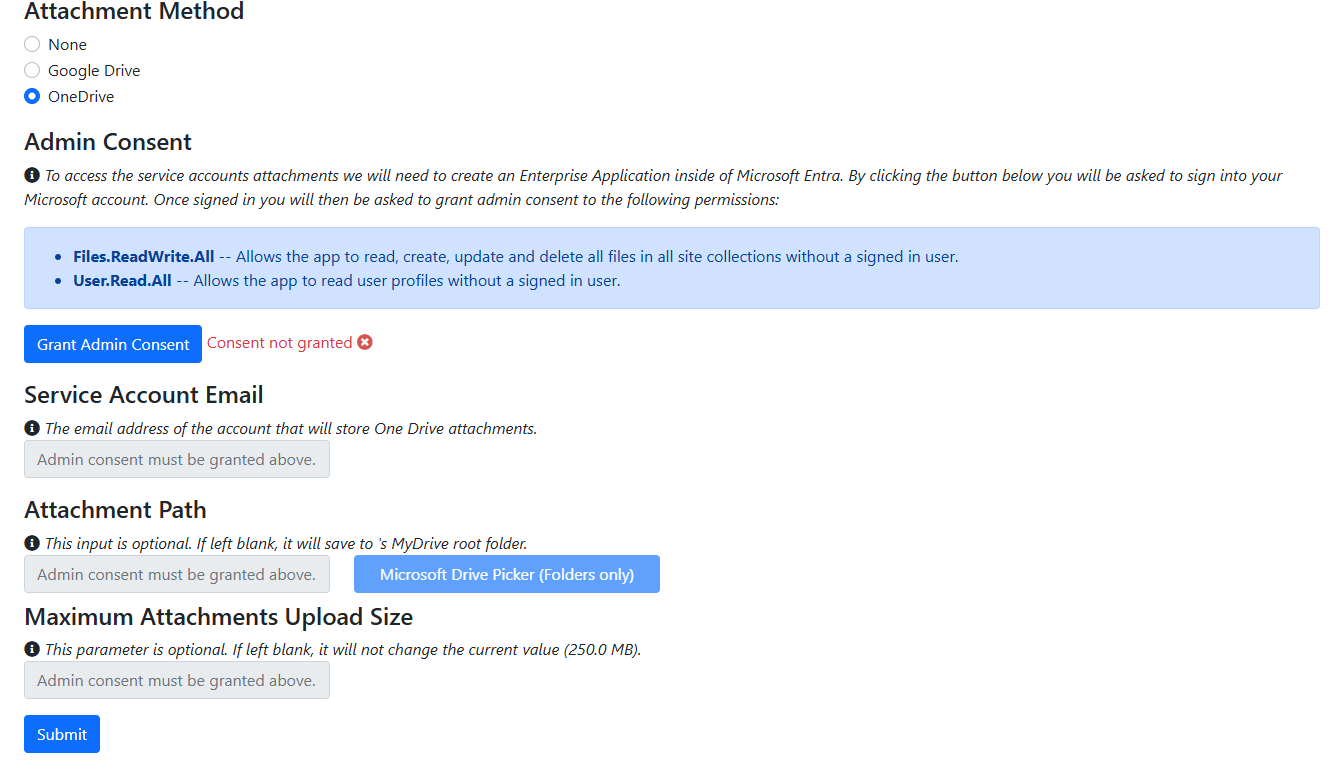
OneDrive requires one extra step: click Grant Admin Access and provide the two permissions indicated in the setup screen. After granting access, enter the service account email.